Who Is XTB
XTB is one of the largest publicly listed CFD brokers in the world, founded in 2002 in Warsaw, Poland. The company is regulated by top-tier authorities including the FCA (UK), CySEC (Cyprus) and KNF (Poland), with XTB S.A. shares listed on the Warsaw Stock Exchange since 2016.
Why traders pick XTB
- Award-winning xStation 5 platform with advanced charting and analytics
- 5,800+ instruments including forex, indices, commodities, stock and crypto CFDs
- No minimum deposit — start with any amount you're comfortable with
- Free bank transfer withdrawals with no hidden fees
- 24/5 customer support in multiple languages
What the signup screen actually looks like
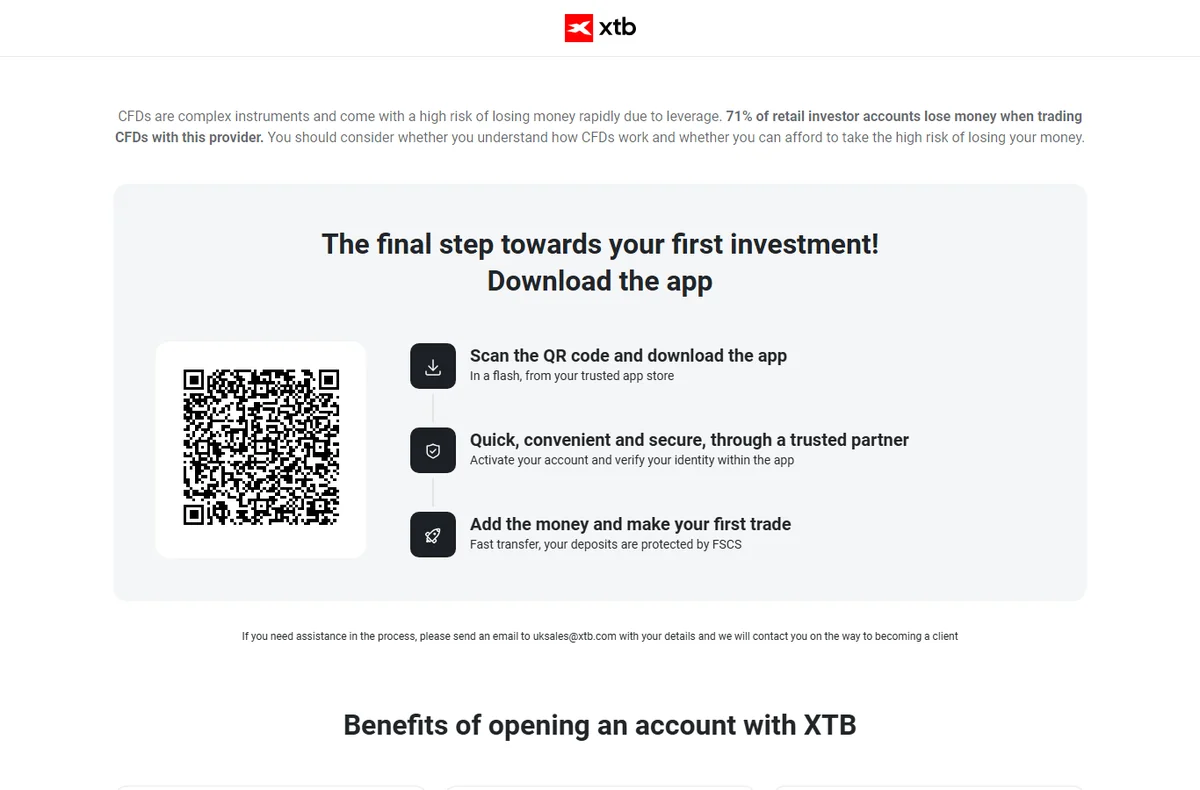
On a desktop, without reaching for your phone
The QR code is a shortcut to the app, not the only way in. The referral link opens XTB's own site in your browser and you can start the same registration there — the code goes in at the email step, the same as it does in the app.
I walked the mobile route because that is the one XTB's UK page puts first, so the screenshots below are from the app. Either way the rule does not change: the code has to be entered during signup, and XTB does not attach it to an account afterwards.
For mobile users
- Get the xStation app (XTB Online Investing) onto your phone — either scan the QR code shown on XTB's website, or just type "XTB" into Google Play or the Apple App Store and install it from there.
- Open the app once it's installed, tap Open Account, and pick the country where you live from the list.
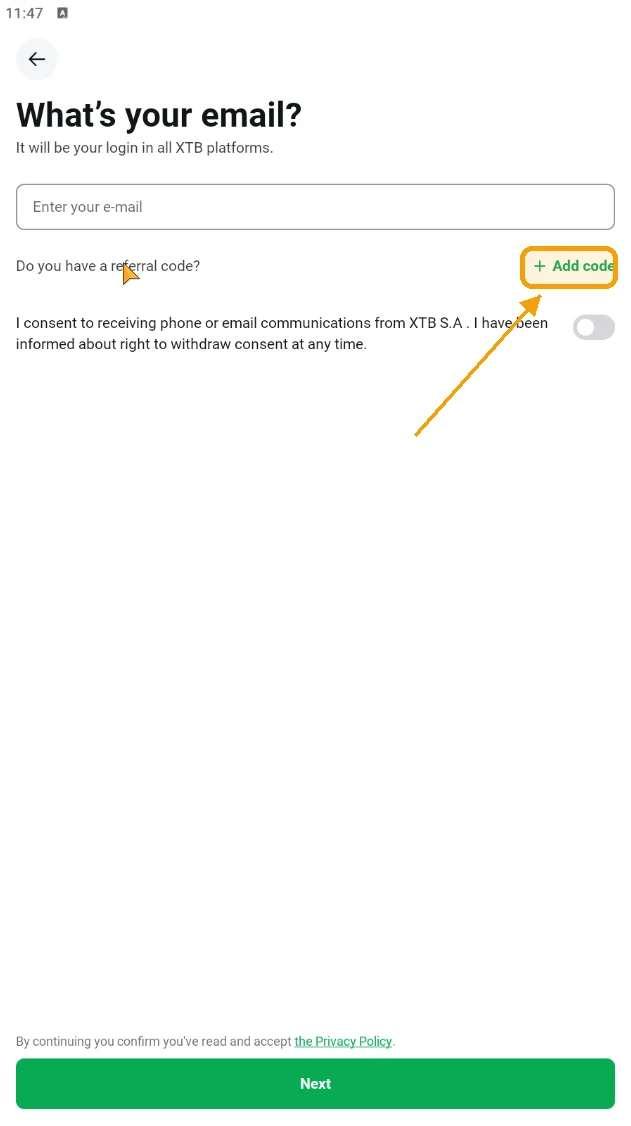
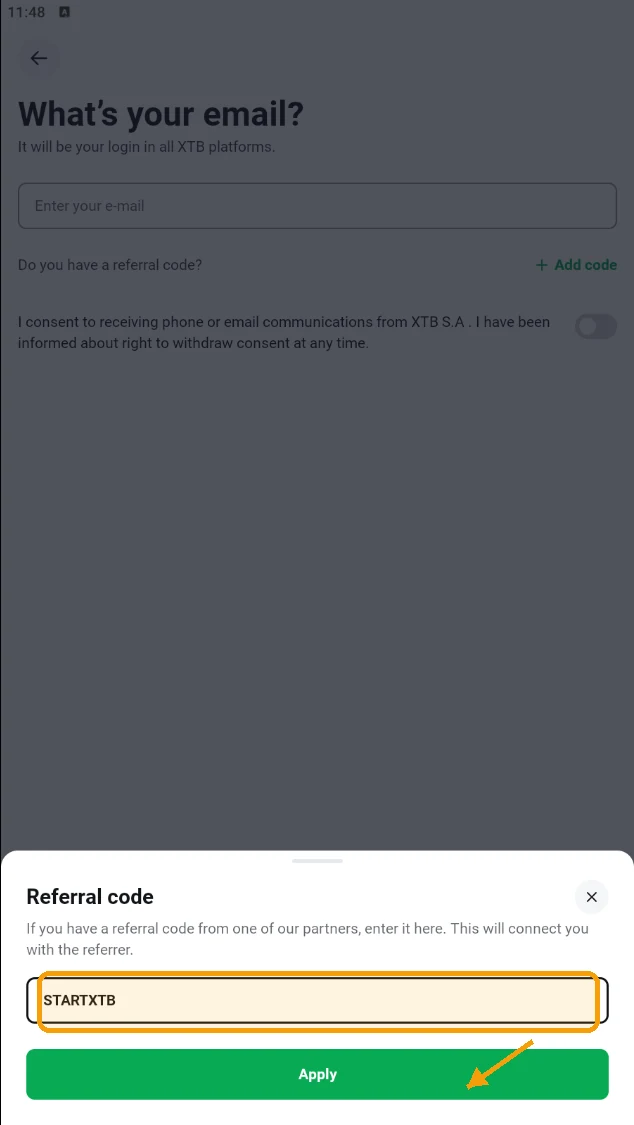
- On the registration screen, type in your email address. Underneath the email field you'll see an Add code option — tap it and enter this code:
- Tap Apply to confirm the code so it gets attached to your account.
- Finish filling in the remaining details to complete your signup.